Login

ZIP-Download

JP Slideshow

Version 2.5 · ZIP · 56.15 kB

Zum Download anmelden

JP Slideshow

mod_uk_slideshow_2_5.zip · 56.15 kB

ZIP-Version
2.5
SHA-256
3d39371511959d9b6bc89fbcc2cb8a8e2dc8a8139344982da8575bb5cec952ff

Changelog

Version 2.5

Hinzugefügt

  • Module class suffix applied to layout wrapper (class on outer div)
  • README.md and JOOMLA_5_6_COMPATIBILITY.md documentation
  • index.html in each folder for security (directory listing prevention)

Geändert

  • Version set to 2.5
  • Creation date set to 2025-02-02
  • Changelog updated for 2.5 release
  • Folder structure aligned with Joomla core: custom form field moved from models/fields/ to forms/fields/

Entfernt

  • Joomla 5.x and 6.x (with or without backward compatibility plugins)
  • PHP 8.1+

Hinweise

  • ### Additions
  • ### Changes
  • ### Compatibility
  • Changelog metadata update (2026-11-06): Release notes are now maintained as XML and published centrally at https://github.com/joomlaplates-de/changelogs. This package includes its release snapshot as changelog.xml.
Version 2.1.1

Entfernt

  • mod_uk_slideshow.xml: Version and description updated; Joomla 5 & 6 compatible
  • forms/form.xml: addfieldpath corrected to /modules/mod_uk_slideshow/forms/fields
  • forms/fields/videos.php: FormFieldVideos, _JEXEC guard, DocBlocks
  • tmpl/default.php: Uri::base(), htmlspecialchars() for output escaping

Hinweise

  • ### Joomla 5 & 6 compatibility fixes
  • #### Critical
  • #### Recommended
Version 2.1

Entfernt

  • Joomla 4 support
Version 2.0

Hinzugefügt

  • Main image link

Behoben

  • Prefix change to "JP" for all modules
  • Ready for J5 and J6 without compatibility plugin

Entfernt

  • Removed XML version (not needed for J5/J6)
Version 1.2.9

Behoben

  • Changed XML path for updates
Version 1.2.8

Hinzugefügt

  • Module class suffix (Advanced options)
Version 1.2.7

Behoben

  • Fixed Pause on Hover option
  • Fixed Endless Slides option
Version 1.2.6

Hinzugefügt

  • Colour selection for background and content

Entfernt

  • Removed animations
Version 1.2.5

Hinzugefügt

  • ALT tag for images
Version 1.2.4

Behoben

  • Fixed autoplay interval bug
Version 1.2.3

Hinzugefügt

  • Local video files (mp4 etc.), slide videos and/or images

Behoben

  • Fixed Pause on Hover
Version 1.2.2

Hinzugefügt

  • Animation options
Version 1.2.1

Hinzugefügt

  • More content position options
  • Editor field before slideshow
Version 1.2.0

Hinzugefügt

  • Initial release
    Legend: * Security | # Bug fix | $ Language | + Addition | ^ Change | - Removed | ! Note
Anmeldung erforderlich

Melde dich mit einem berechtigten Konto an, um diese Datei herunterzuladen.

Future-proof Joomla templates

You can install the template today in your existing Joomla and migrate toJoomla 4/5 or Joomla 6 without changing anything. Furthermore, all our extensions, such as the Uikit 3 modules, are also compatible with Joomla 4/5 and Joomla 6, so no additional effort is expected for the Joomla 6 migration.


Installations-Service

Don´t waste your time, we install your purchased Template with the "Demo Content" within the next 24 hours.

Buy Now

Joomla 4 Migration

Joomla Template Options

Template Options


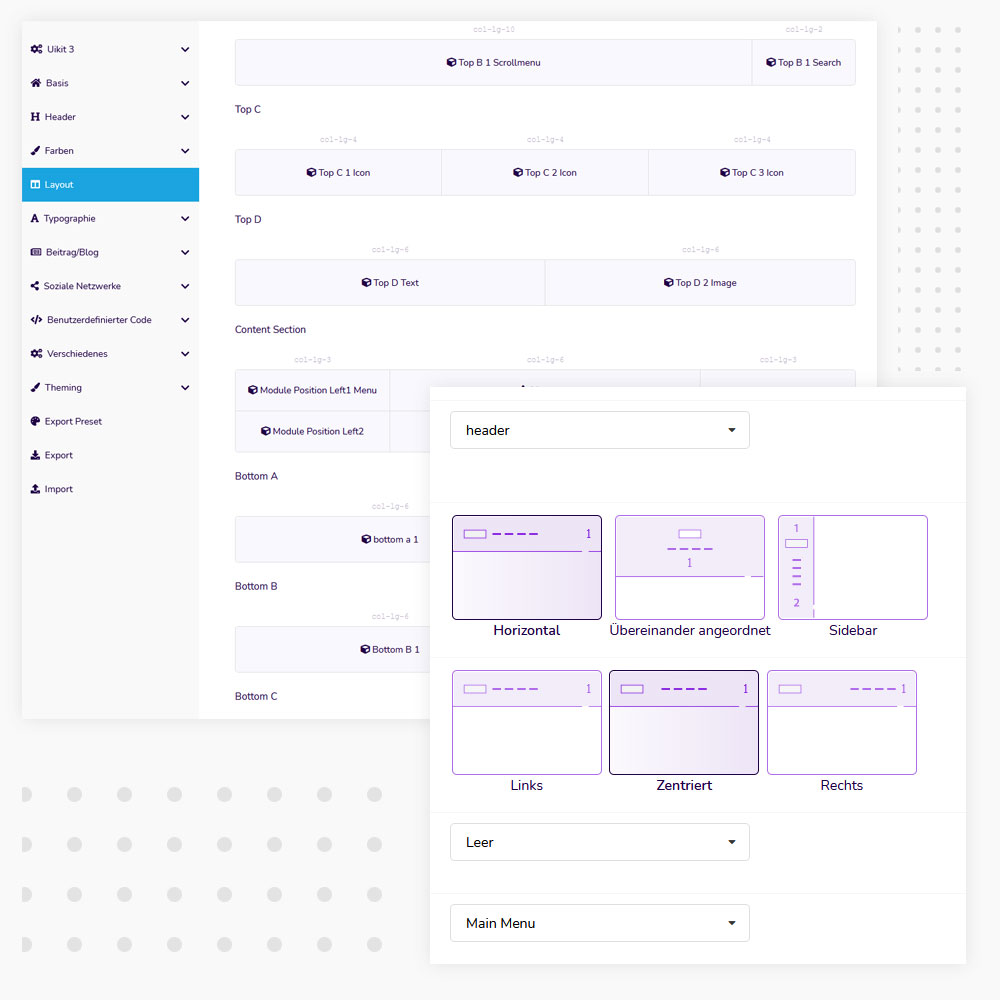
Layout Manager

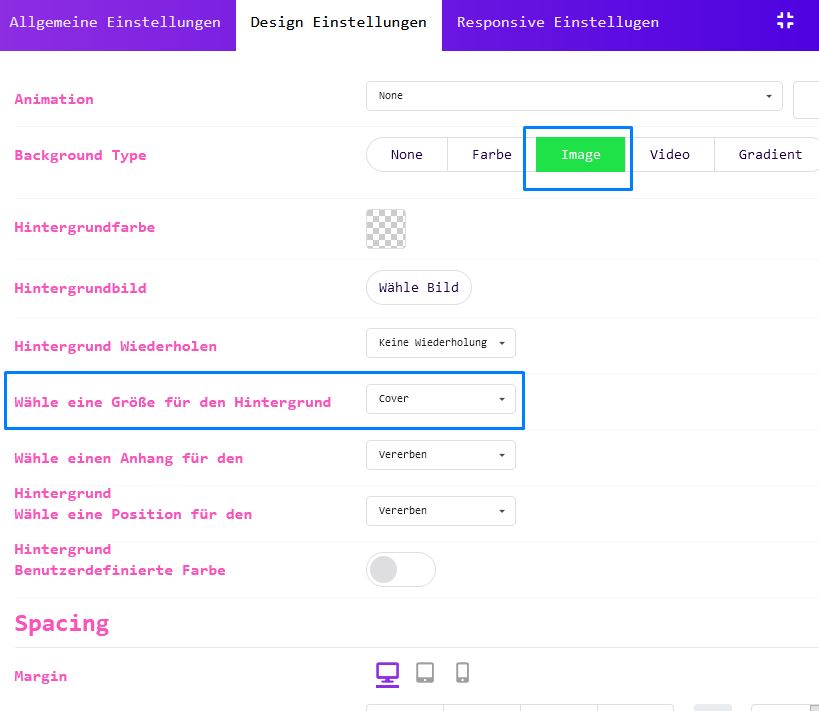
The Layout Manager is a powerful and effective tool that allows you to create flexible layouts in the drag and drop builder. With the drag & drop tool you can create and move any number of modules, sections and columns. You can assign images, videos and colors to all sections and modules.

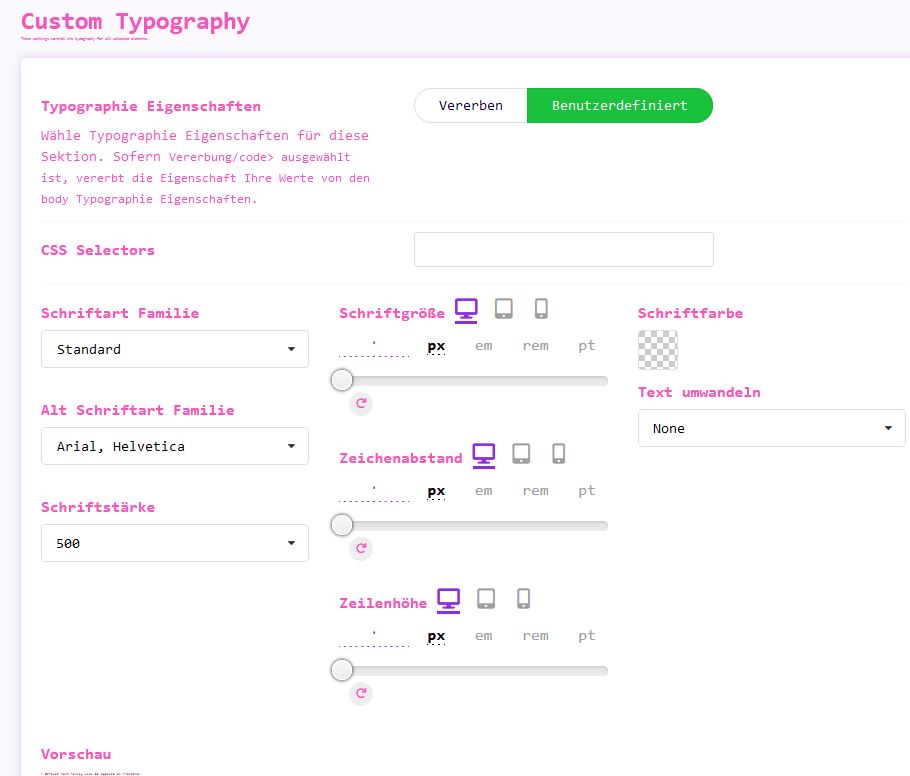
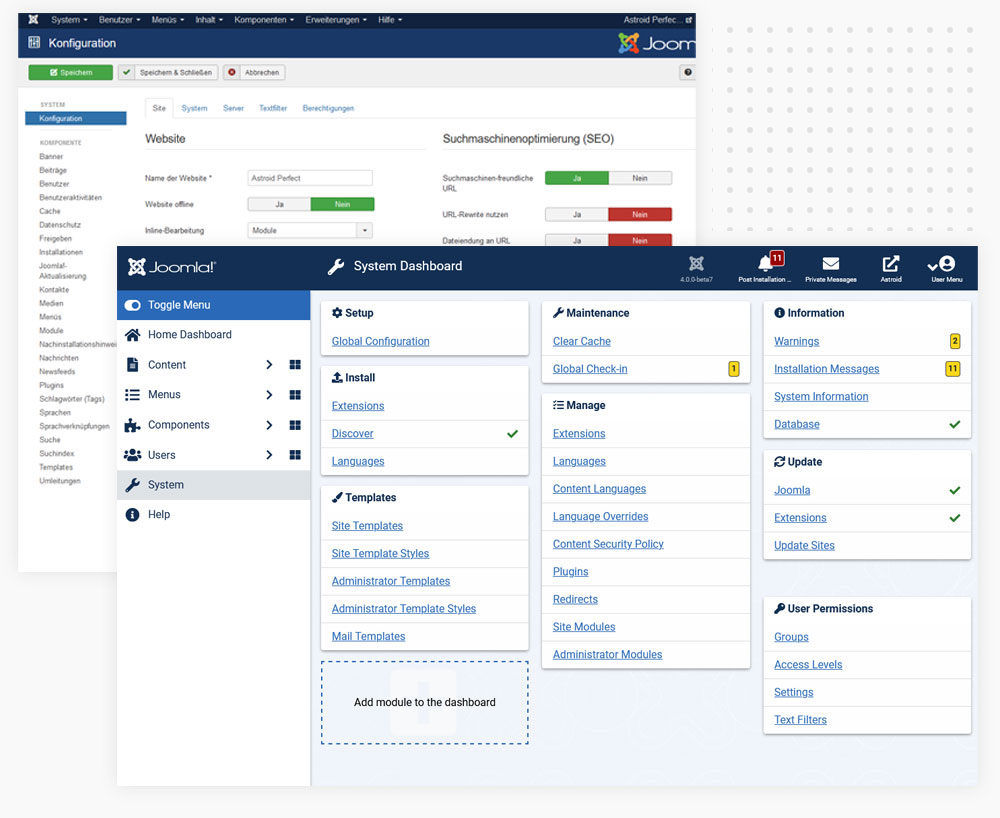
Multi Langauge Backend

Our design or the configuration in the backend is multilingual. The operation is described in detail and is self-explanatory, see picture

Video


Easy to customize

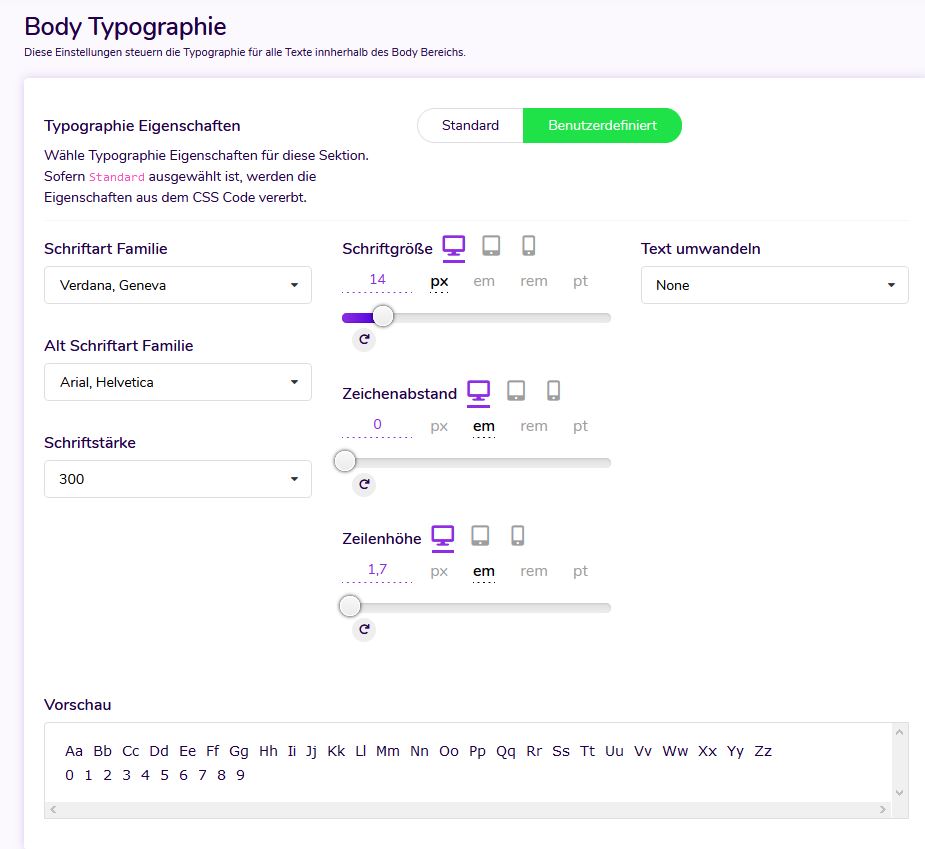
Play around with the font family, size, transformation, style, decoration, line height and letter spacing to give users a different look on your website.

Custom fonts

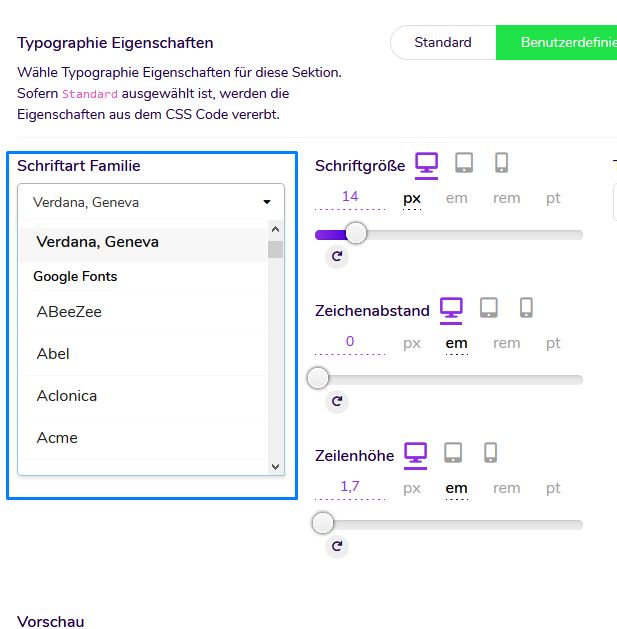
In the configuration you can add your own custom fonts and use them on your Joomla website.

Google Fonts

Play with 998+ Google Fonts built into the Typography section.


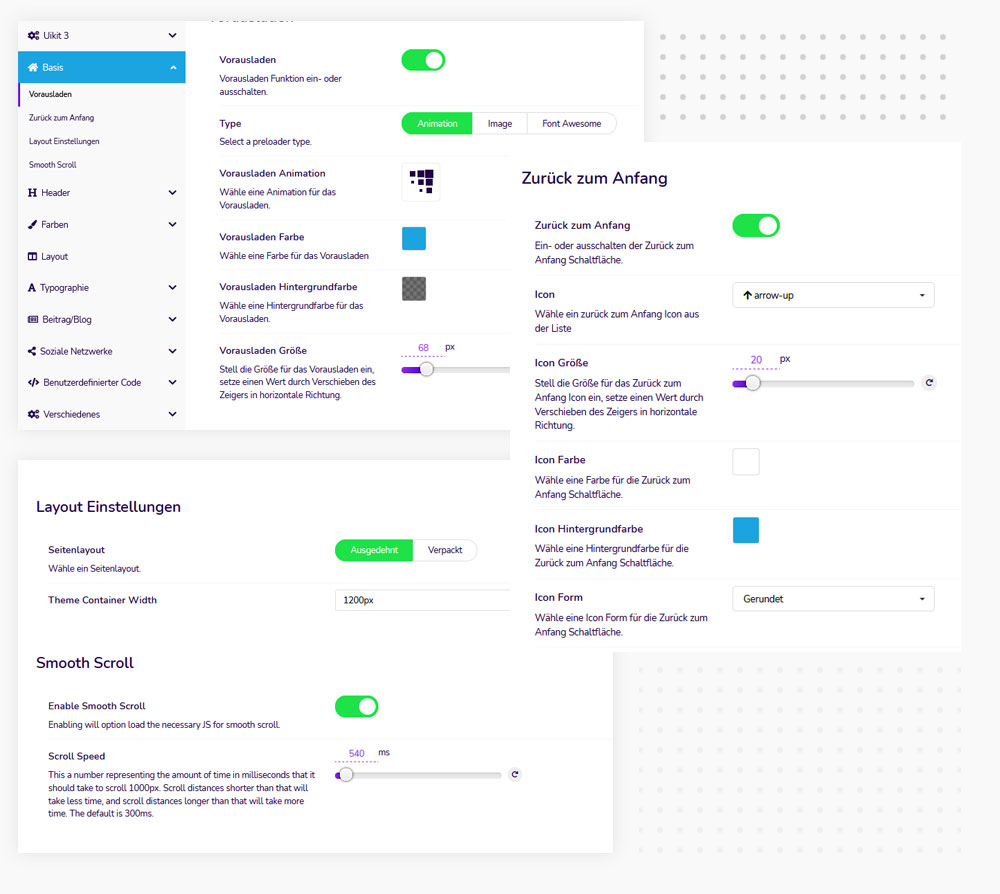
Preloader

You can add an animated preloader to your Joomla website, including built-in animations, custom images or Font Awesome icons.

Back to top

You can add an animated preloader to your Joomla website, including built-in animations, custom images or Font Awesome icons.

Smooth Scroll

If you activate Smooth Scroll, the file Smooth-Scroll.js is loaded, which enables so-called on-page designs to be created.

Video


HTML-Compression

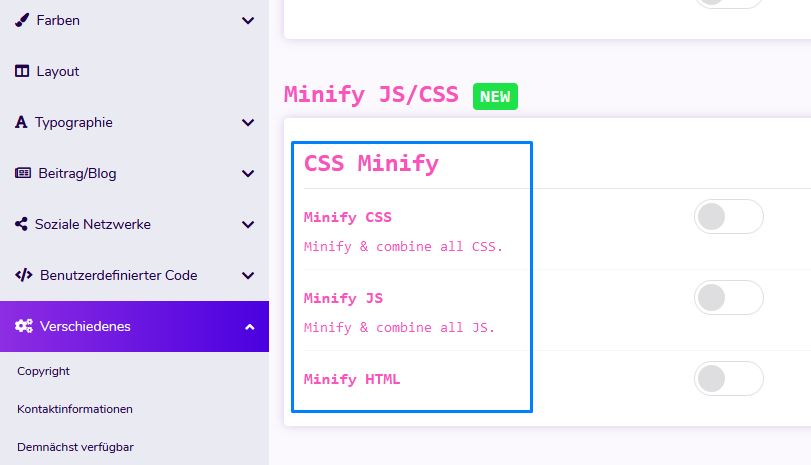
The HTML Compression option allows you to compress your website's HTML to improve performance and make your website load faster.

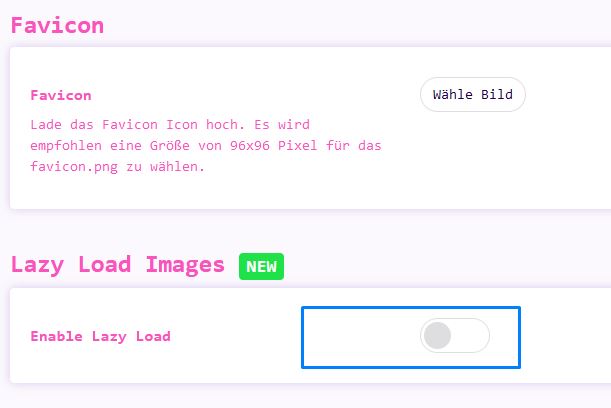
Lazy Load

Built-in advanced delay loading feature that allows you to load only the images that are visible in the viewport and get high speed for google page speed.

CSS / JS Compression

The JS / CSS compression feature allows you to compress CSS and JS files and reduce their size to increase the website loading speed.


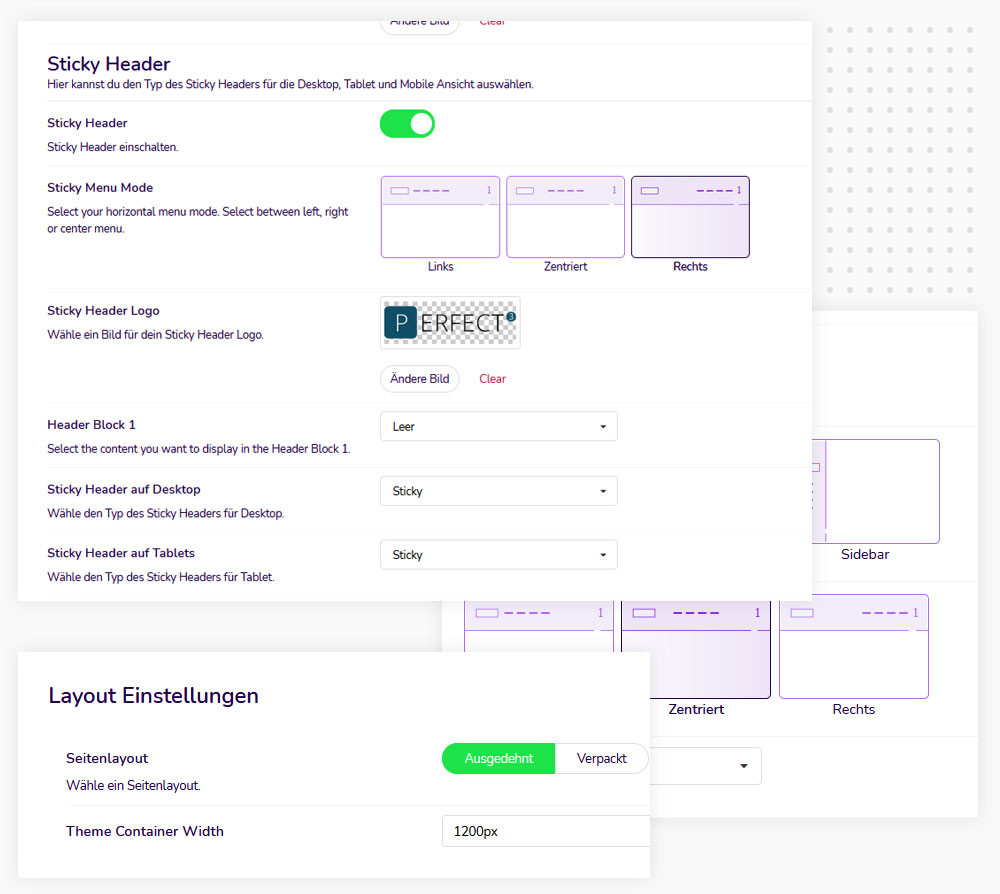
Wide & boxed layout

The template offers you a wide and boxed layout. You can always choose between box and wide layout and change the appearance of your website..

Multiple header layouts

You have several options to choose from and you can easily switch between the headers in the Layout Manager.

Sticky Header

Add a sticky "header to your Joomla website with one click. No additional plugins required. Configure it according to the needs of your website.


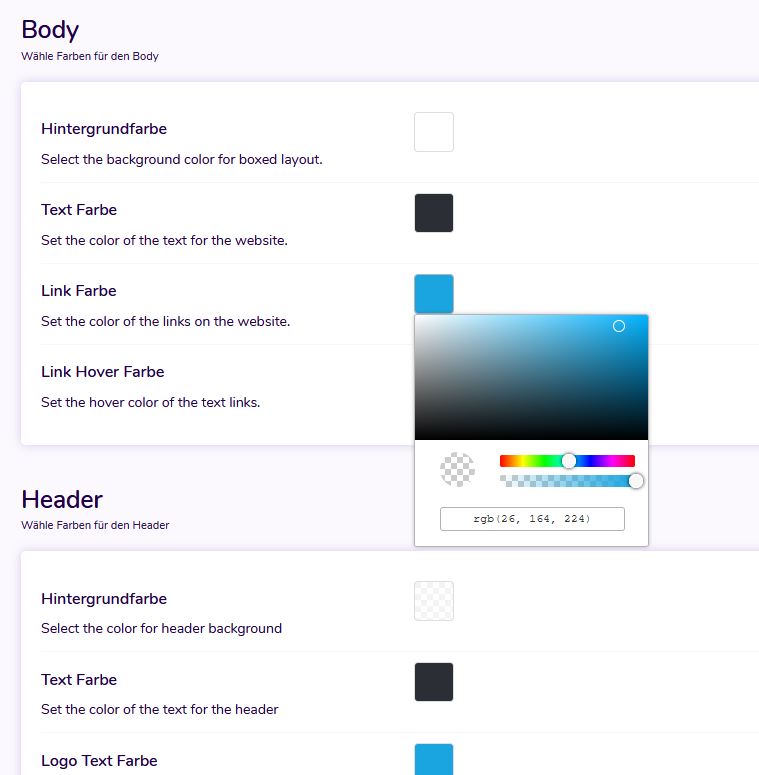
Unlimited colors

With the built-in color picker, you can quickly change the color of almost all elements on your website without having to write a single line of code.

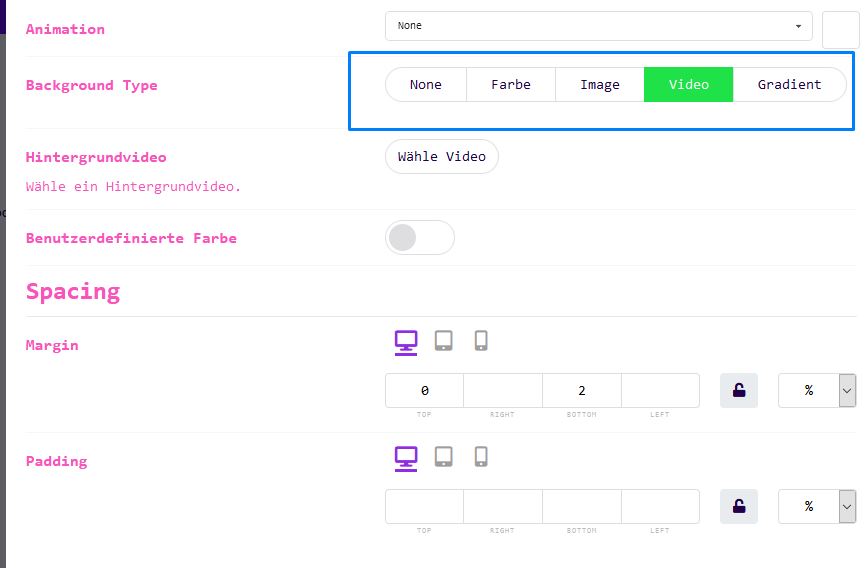
Video background

The Layout Manager makes it easy to add video backgrounds to your sections to keep your website looking interesting and interactive.

Parallaxeeffekt

The Layout Manager makes it easy to create parallax effects for any section of your website.


Mega Menu

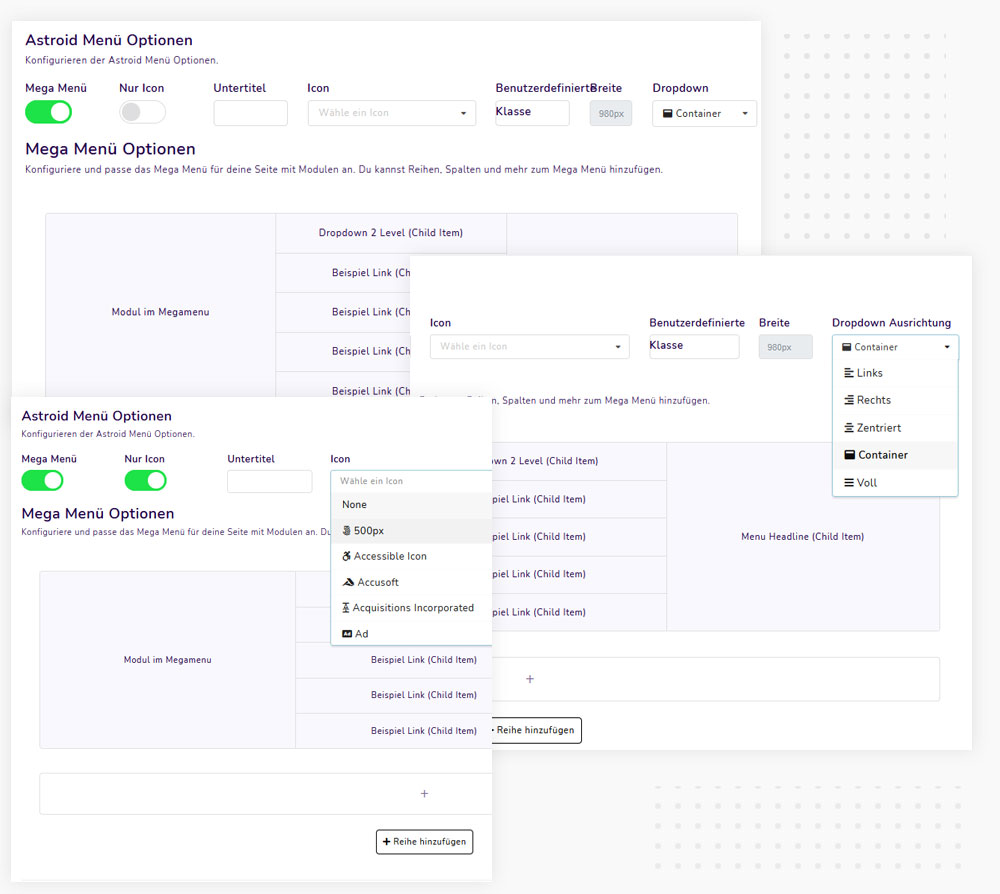
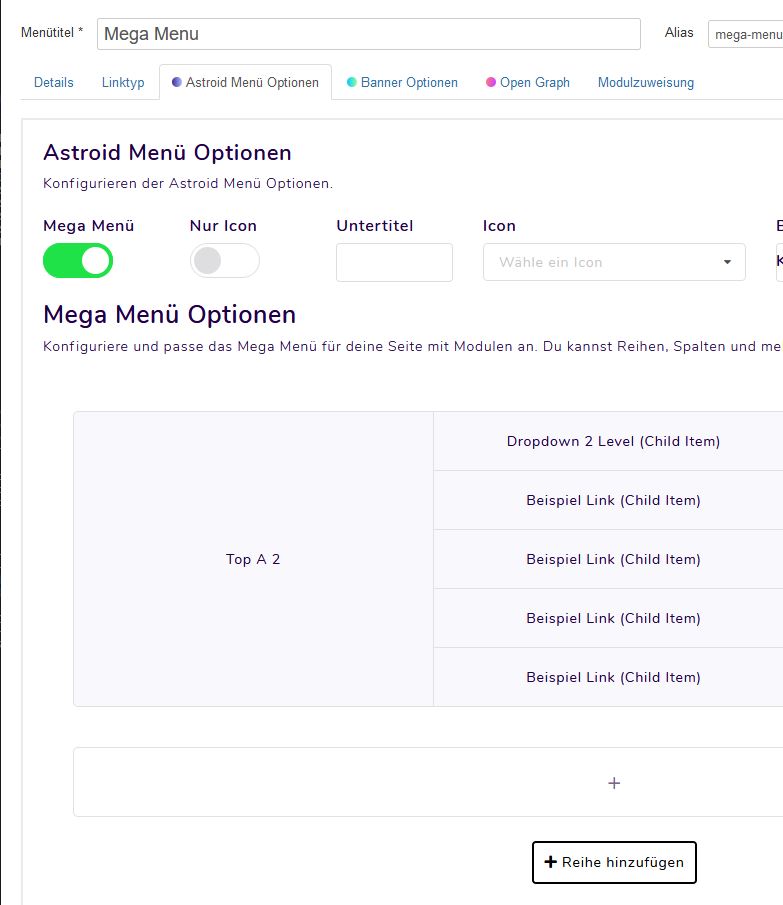
Configuring the mega menu is really simple and straightforward. You can get a great looking mega menu in just a few clicks. The first step is to configure the menu and choose the header layout for your site.


Once you are done with these settings, you can create your own mega menu for individual menu items. The structure of the main level menu items corresponds to the structure of your Joomla menu. By default, all submenu items are automatically displayed as drop-down menu items.

Infos and Videos


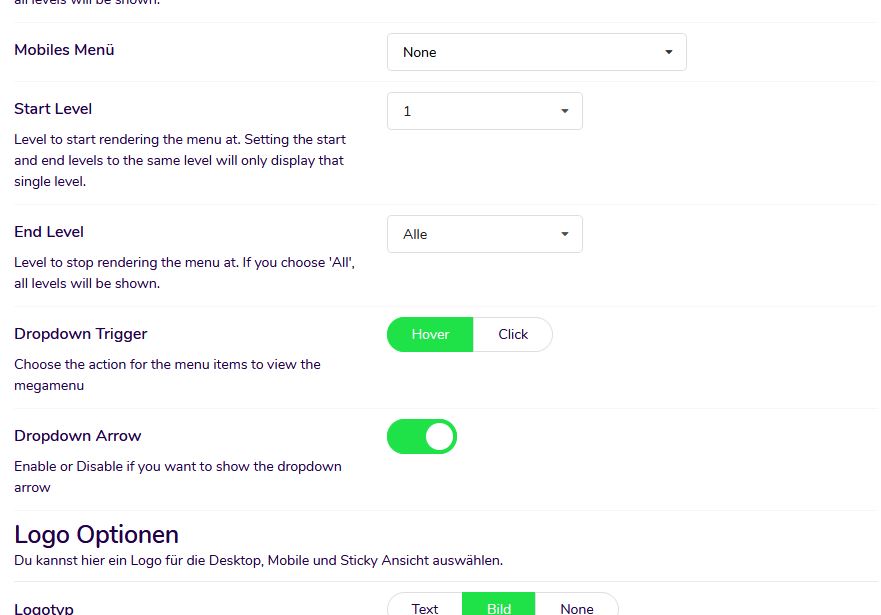
Mobile Menu

The theme has a built-in menu for mobile devices that allows you to easily list all menu items on mobile devices.

Mega-Menu

The framework comes with a mega menu builder via drag and drop. You can add your menu items and Joomla modules and create an interactive mega menu.

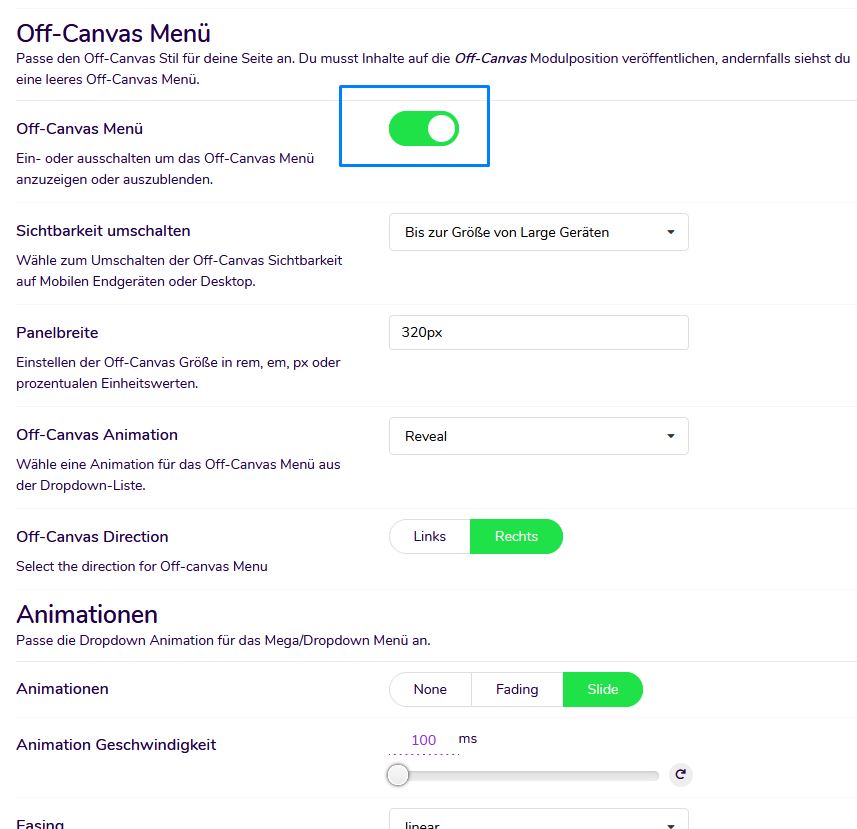
Off Canvas-Menu

The theme also comes with the off canvas menu. You can use it alongside your regular menu and publish each module to the off-canvas position.

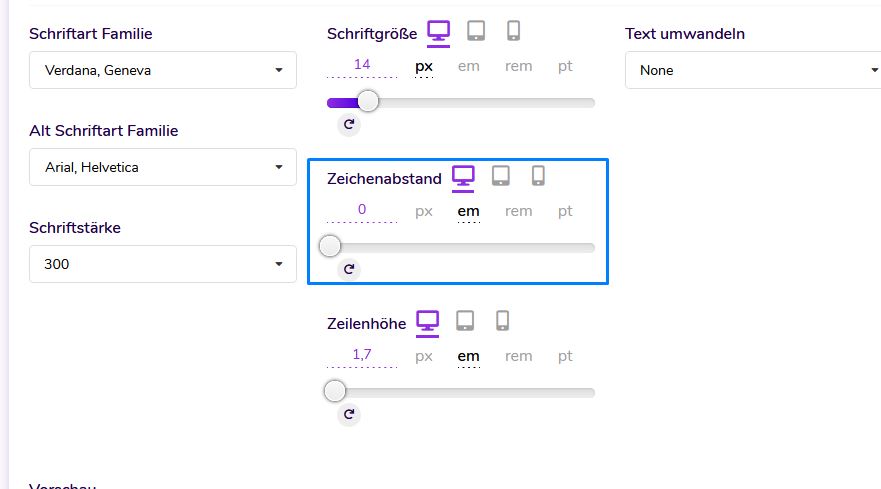
Responsive typography

With the template frameworks, you can specify different font sizes, letter spacing and line heights for different device sizes.

Animations

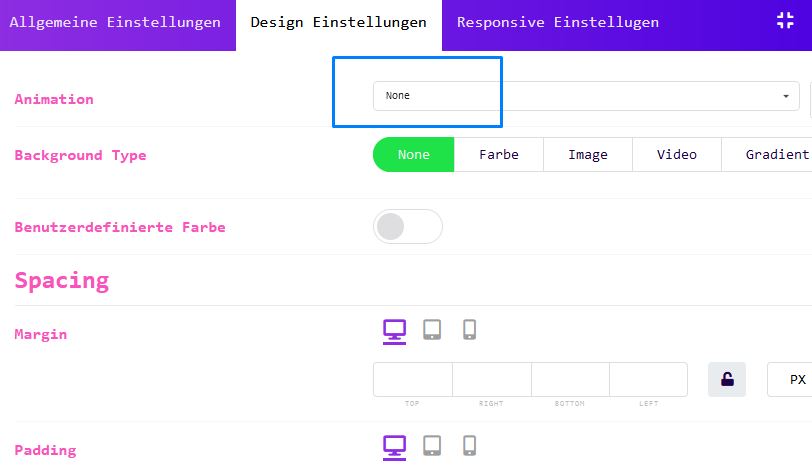
With the integrated animations at section, column and module level, you can choose from over 80 different animations.

Custom Codes

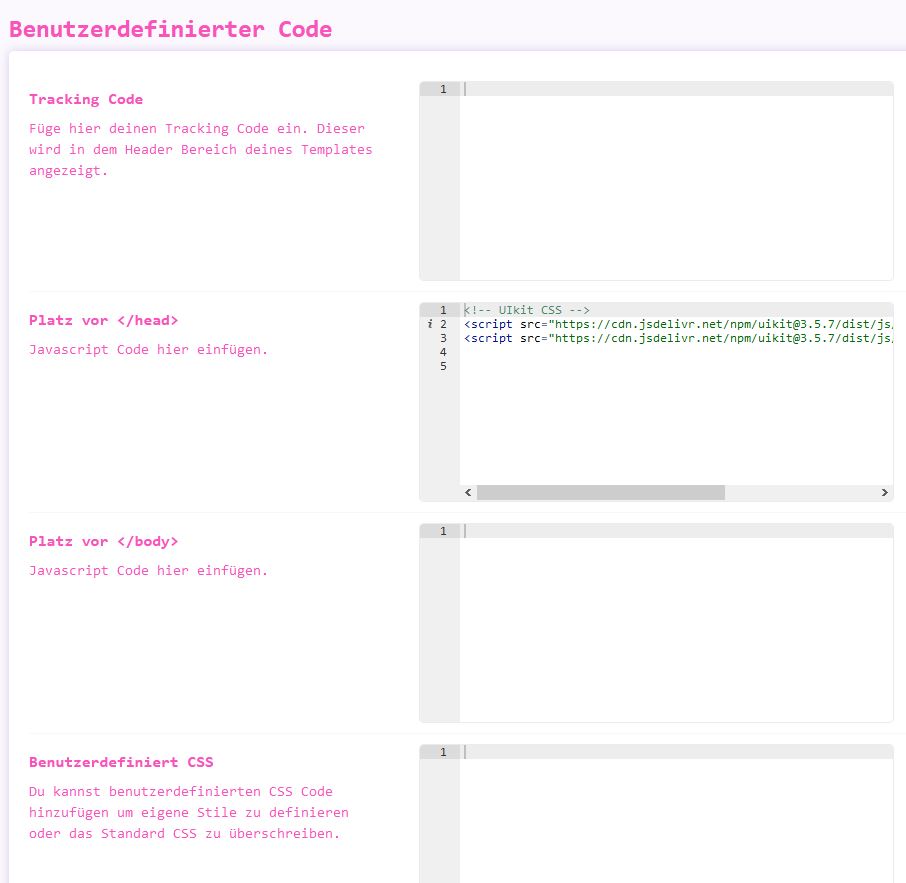
Use your own custom code like CSS, JS, meta tags, links and verification codes.

Installations-Service

Don´t waste your time, we install your purchased Template
with the "Demo Content" within the next 24 hours.

Buy Now - 59€

JoomlaPlates

Professional Joomla Templates with rich documentation and support since 2008. 60+ templates for Joomla 5 & 6.

Joomla 4 Joomla 5 Joomla 6
Contact & Legal
  • support@joomlaplates.com
  • Support Team
  • Mon-Fri: 9:00-18:00 CET

© JoomlaPlates. All rights reserved. 2008 - 2026

JoomlaPlates is not affiliated with or endorsed by the Joomla! Project. Joomla! is a registered trademark of Open Source Matters, Inc.