tp_gym, Joomla 3.10.10 - Seitenlayout "verpackt" funktioniert nicht
- martin.heinz
- Offline Topic Author
- Junior Boarder
-

- Posts: 27
- Thank you received: 1
tp_gym, Joomla 3.10.10 - Seitenlayout "verpackt" funktioniert nicht was created by martin.heinz
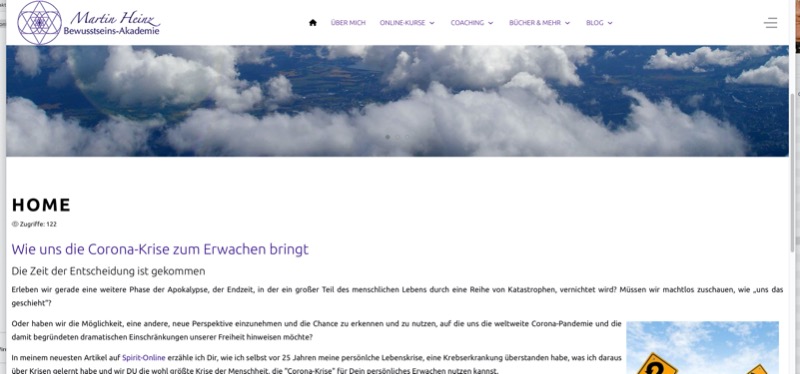
Posted 4 years 3 months ago #30693leider bekomme ich beim Arbeiten mit dem Template tp_gym grundsätzlich nur eine Template-Breite über die gesamte Fensterbreite. Bei der Demo-Installation ist der Content breitenmäßig begrenzt, bei meiner eigenen Installation nicht. Ich habe die aktuellste Version des Astroid-Frameworks und sämdlicher UIKIT-Erweiterungen installiert.
Egal, wie ich das Layout einstelle (ausgedehnt oder verpackt / Templatebreite auf 1024 eingestellt - mein Bildschirm ist deutlich breiter), der Content geht generell über die gesamte Bildschirmbreite.
Die Darstellung ist unabhängig vom Browser (Safari / Firefox).
Über einen Hinweis oder einen "versteckten Schalter"
 wäre ich dankbar.
Vielen Dank und herzliche Grüße
Martin
Please Log in or Create an account to join the conversation.
- joomlaplates
-
 Offline
- Moderator
-

- Posts: 8875
- Thank you received: 1743
Replied by joomlaplates on topic tp_gym, Joomla 3.10.10 - Seitenlayout "verpackt" funktioniert nicht
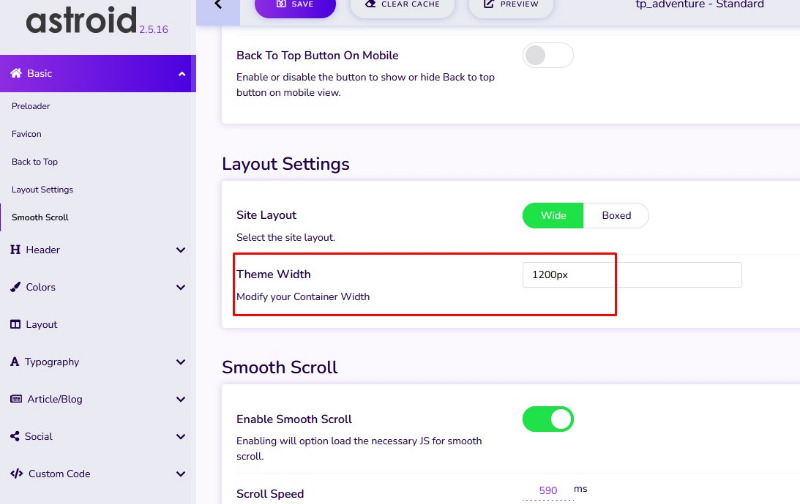
Posted 4 years 3 months ago #30696Wenn das Feld grau hinterlegt ist, ist keine Größe aktiv.
www.joomlaplates.de/dokumentation.html
Please Log in or Create an account to join the conversation.
- martin.heinz
- Offline Topic Author
- Junior Boarder
-
- Posts: 27
- Thank you received: 1
Replied by martin.heinz on topic tp_gym, Joomla 3.10.10 - Seitenlayout "verpackt" funktioniert nicht
Posted 4 years 3 months ago #30697Please Log in or Create an account to join the conversation.
- joomlaplates
-
Offline
- Moderator
-
- Posts: 8875
- Thank you received: 1743
Replied by joomlaplates on topic tp_gym, Joomla 3.10.10 - Seitenlayout "verpackt" funktioniert nicht
Posted 4 years 3 months ago #30699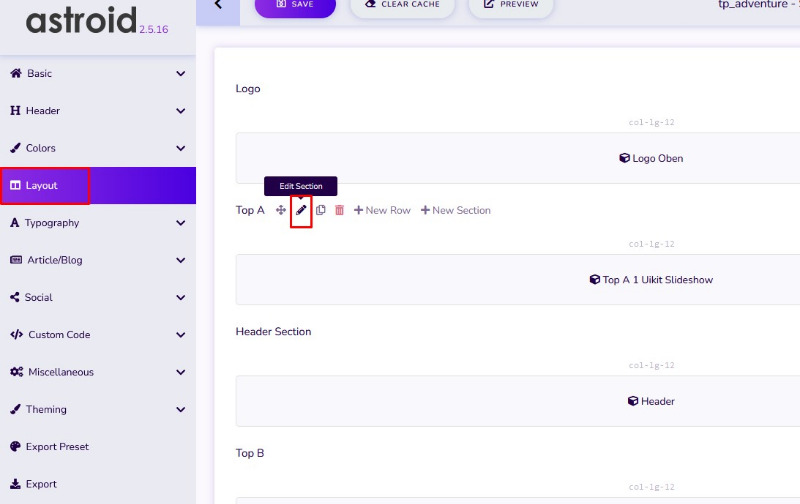
Abschnittslayout – Wählen Sie das Layout für den Abschnitt aus „Container“, „Containerflüssigkeit“, „Container ohne Dachrinne“, „Containerflüssigkeit ohne Dachrinne“, „Ohne Container“ oder einem benutzerdefinierten Layout.
www.joomlaplates.de/dokumentation.html
Please Log in or Create an account to join the conversation.
- martin.heinz
- Offline Topic Author
- Junior Boarder
-
- Posts: 27
- Thank you received: 1
Replied by martin.heinz on topic tp_gym, Joomla 3.10.10 - Seitenlayout "verpackt" funktioniert nicht
Posted 4 years 2 months ago #30723Hallo, wenn in der Sektion, in der das Modul ist die containerbreite oder kein container gewählt ist, dann ist das immer 100% breite
Abschnittslayout – Wählen Sie das Layout für den Abschnitt aus „Container“, „Containerflüssigkeit“, „Container ohne Dachrinne“, „Containerflüssigkeit ohne Dachrinne“, „Ohne Container“ oder einem benutzerdefinierten Layout.
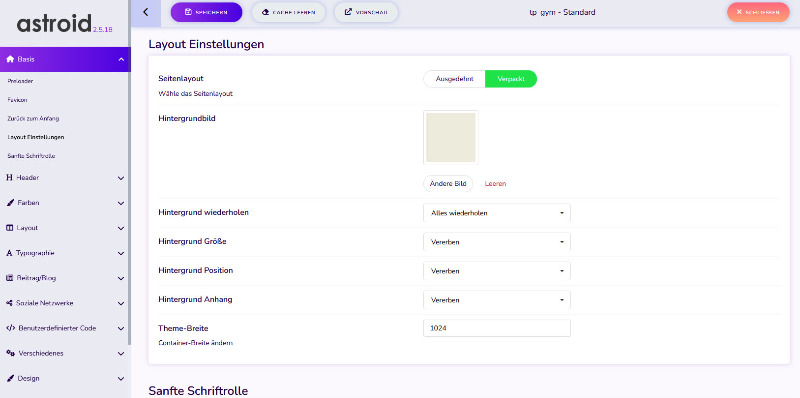
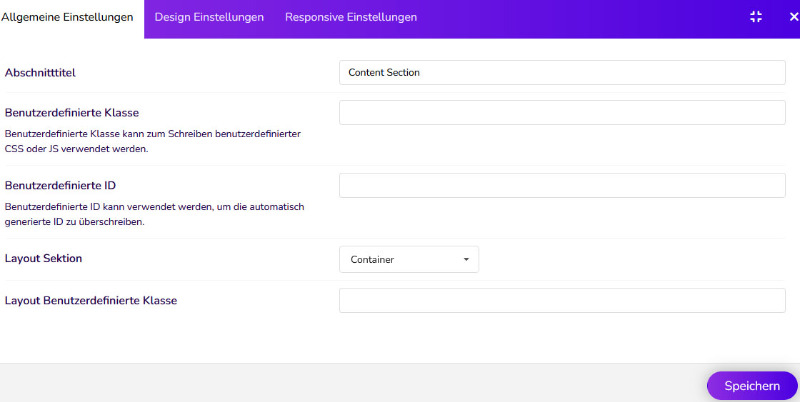
Ich habe in der Section auch "Container" eingestellt - es bleibt bei der vollen Breite.
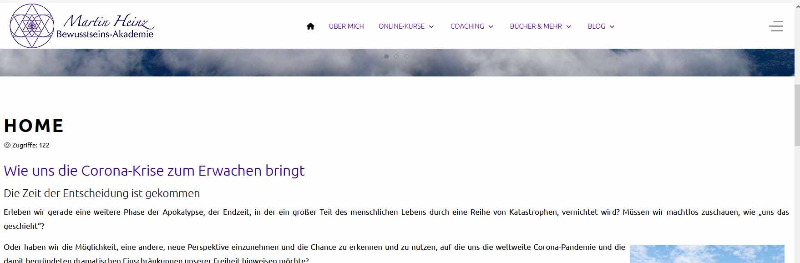
Zur Dokumentation habe ich einige Screenshots beigefügt:
- Einstellungen in Astroid - Templatebreite 1024 Pixel, content section "Container"
- Bildschirmfoto der Seite - die Content-section geht über die ganze Breite (hier 1700 Pixel),
- beigefügt auch den Seitenquelltext - vielleicht ist daraus zu erkennen, was hier falsch läuft.
Im Voraus vielen Dank!
Viele Grüße
Martin
Please Log in or Create an account to join the conversation.
- joomlaplates
-
Offline
- Moderator
-
- Posts: 8875
- Thank you received: 1743
Replied by joomlaplates on topic tp_gym, Joomla 3.10.10 - Seitenlayout "verpackt" funktioniert nicht
Posted 4 years 2 months ago #30726www.joomlaplates.de/dokumentation.html
Please Log in or Create an account to join the conversation.