
changes colors

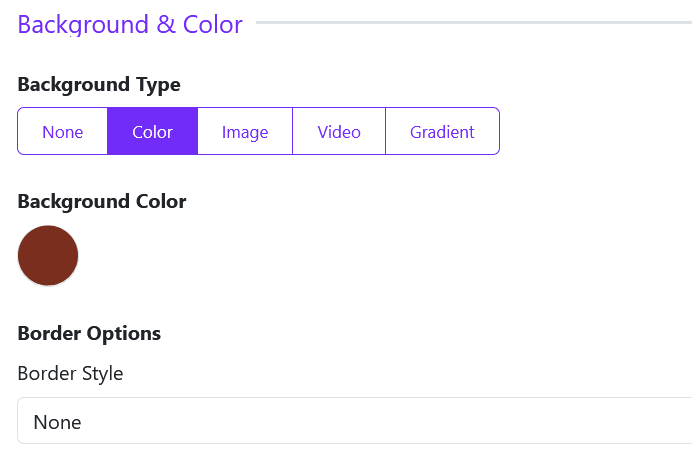
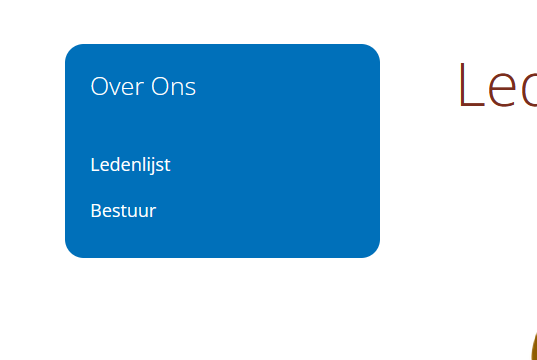
How can I change the background of the menu located in the 'left-2' position? The background remains blue. I have already adjusted this in the layout module for 'left-2' (see attachment 1). As a test, I changed the corner settings, and those did update (see attachment 2).
Is it possible to change everything that is currently blue to a custom color of my choice (I would like to use #7A2E1E)?
Is it possible to change everything that is currently blue to a custom color of my choice (I would like to use #7A2E1E)?
Last Edit:1 day 5 hours ago
by Morriske
Last edit: 1 day 5 hours ago by Morriske.
Please Log in or Create an account to join the conversation.

Please Log in or Create an account to join the conversation.
www.rumani2.be/
I have created a user account for you with full privileges, but I am not sure if I can include these details here in the response.
I have created a user account for you with full privileges, but I am not sure if I can include these details here in the response.
by Morriske
Please Log in or Create an account to join the conversation.
Thank you.
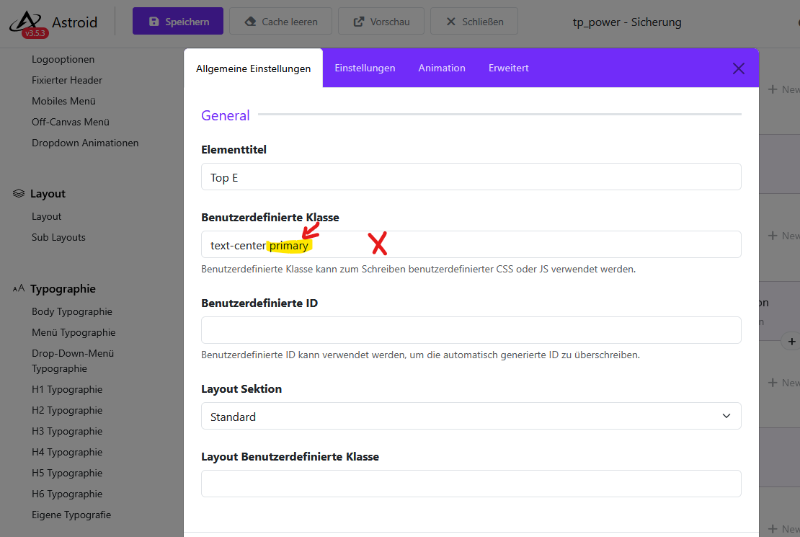
I suspect that you have set the 'bg-primary' color (defined as blue) within the section or a module position located inside it, and that this color is taking precedence. Please check this, and if you find such an entry, remove it. Once removed, the colors should be applied correctly. Go to the section's layout settings and check the 'Custom Class' field; that is where the entry will be. Delete bg-primary.
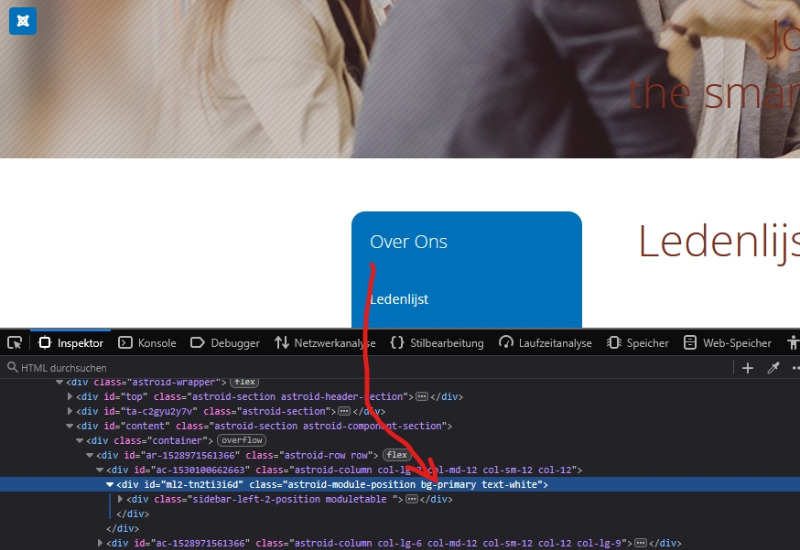
I suspect that you have set the 'bg-primary' color (defined as blue) within the section or a module position located inside it, and that this color is taking precedence. Please check this, and if you find such an entry, remove it. Once removed, the colors should be applied correctly. Go to the section's layout settings and check the 'Custom Class' field; that is where the entry will be. Delete bg-primary.
Last Edit:13 hours 26 minutes ago
by WM-Loose
Last edit: 13 hours 26 minutes ago by WM-Loose.
Please Log in or Create an account to join the conversation.
Thank you. There is one more setting I cannot seem to find: the line that appears beneath the menu items in the main menu. It is currently blue, but it should also be brown. This line only becomes visible when a menu drops down.
Kind Regards
Oswald
Kind Regards
Oswald
by Morriske
Please Log in or Create an account to join the conversation.
This line is linked to the 'Primary' color. You can either change the 'Primary' color or use the following CSS code:
.megamenu-container, .megamenu-container .nav-submenu .nav-submenu { border-top: 4px solid #7a2e1e; }
The CSS code must then be inserted into the custom CSS section within the template options.
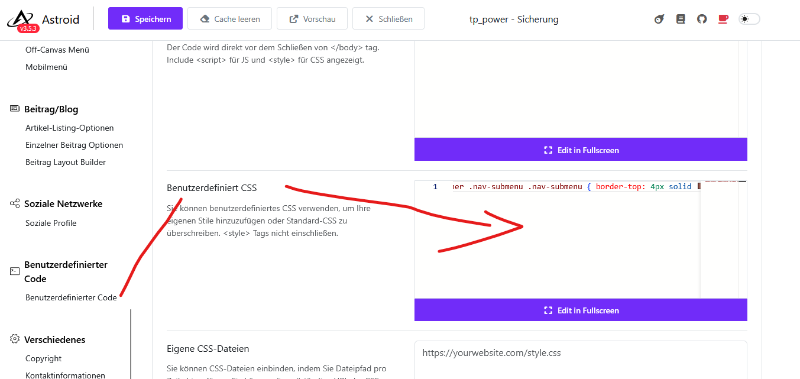
.megamenu-container, .megamenu-container .nav-submenu .nav-submenu { border-top: 4px solid #7a2e1e; }
The CSS code must then be inserted into the custom CSS section within the template options.
Last Edit:11 hours 13 minutes ago
by WM-Loose
Last edit: 11 hours 13 minutes ago by WM-Loose.
Please Log in or Create an account to join the conversation.