
[SOLVED] changes colors

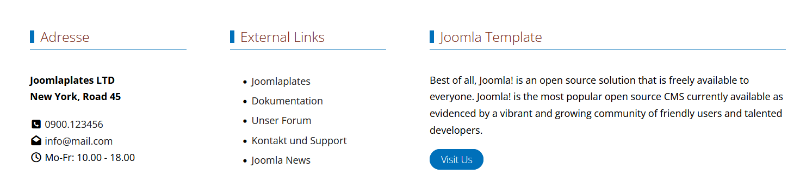
That worked. Where can I change the lines—including those on the button—to brown (see attachment)? I tried a few settings, but apparently none of them were the right ones.
by Morriske
The topic has been locked.

For the colors, you need to change the primary color to brown. You can do this in the template options under "Colors."
by WM-Loose
The topic has been locked.
Sorry, but I can't find it.
I can't locate a 'primary' setting. Perhaps I'm in the wrong place.
As you suggested, I’m looking under 'Template Options' -> 'Colors' — I see 7 items there. Which one should I be looking at? None of these 7 items have 'primary' listed anywhere.
Kind regards
Oswald
I can't locate a 'primary' setting. Perhaps I'm in the wrong place.
As you suggested, I’m looking under 'Template Options' -> 'Colors' — I see 7 items there. Which one should I be looking at? None of these 7 items have 'primary' listed anywhere.
Kind regards
Oswald
by Morriske
The topic has been locked.
Under "Color," select the colors for blue, green, etc. Then, a bit further down, assign these colors to the theme colors—for instance, assign a color to "Primary." It’s really quite simple. Don't you just need to scroll a bit further down, below the colors?
by WM-Loose
The topic has been locked.
Sorry, but I really can't find what you're describing.
After "Color," I have 7 items:
Body,
Header,
Sticky Header,
Main Menu,
Dropdown Menu,
Off-Canvas Menu,
Mobile Menu.
While you can assign colors there, the line and the small block next to the title in the module remain blue. The color of the button doesn't change either.
Kind regards
Oswald
After "Color," I have 7 items:
Body,
Header,
Sticky Header,
Main Menu,
Dropdown Menu,
Off-Canvas Menu,
Mobile Menu.
While you can assign colors there, the line and the small block next to the title in the module remain blue. The color of the button doesn't change either.
Kind regards
Oswald
by Morriske
The topic has been locked.
- Administrator
- Offline
- Moderator
-

- Posts: 781
- Thank you received: 125
Hi!
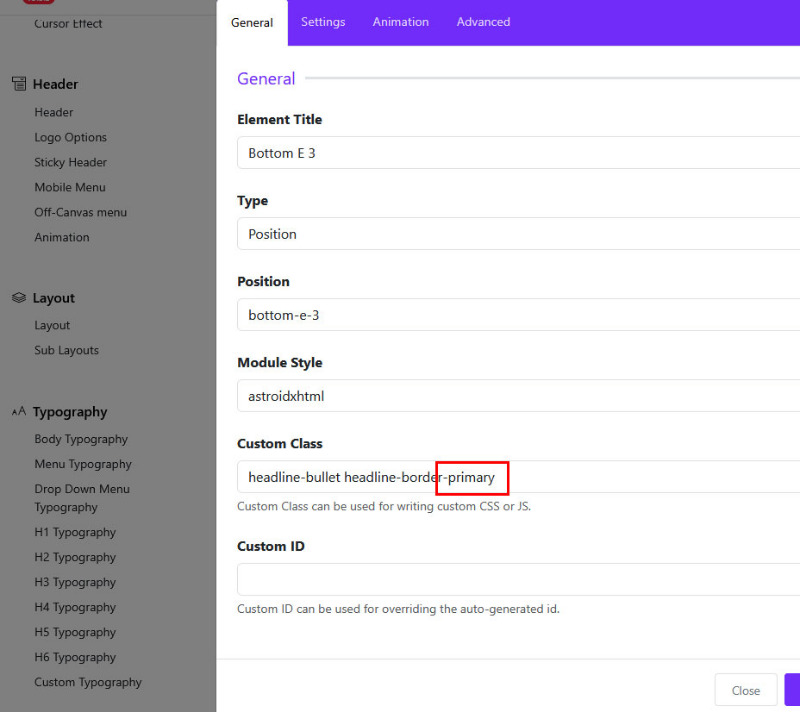
The definitonclass is 'primary':
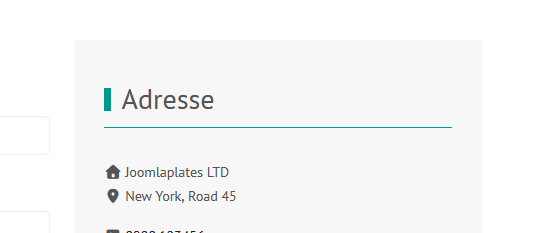
It is at the moment green:
It is in the layot-theming-colors:
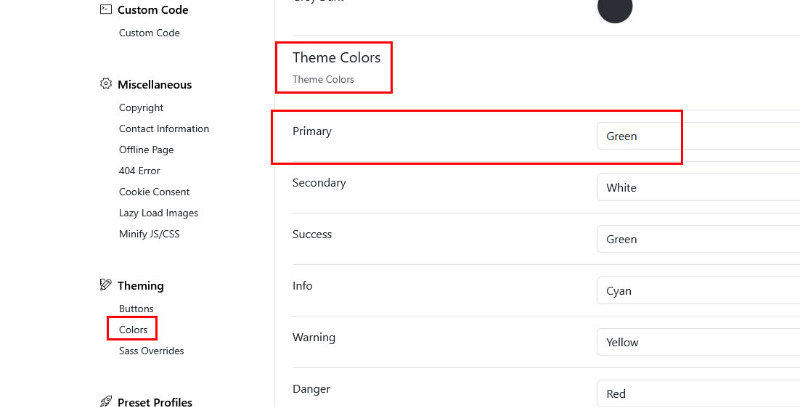
Here you can set your own color:
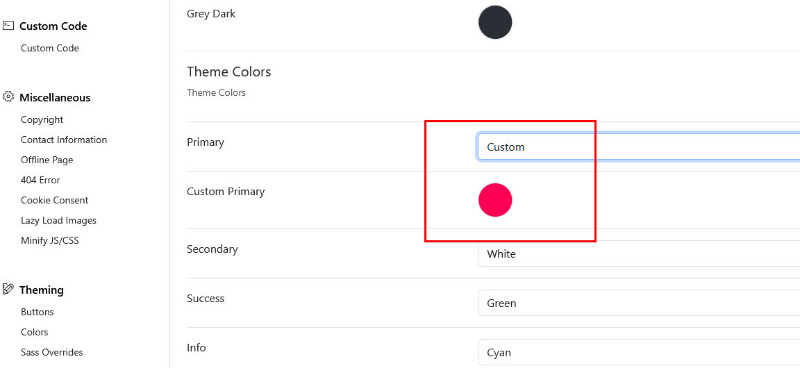
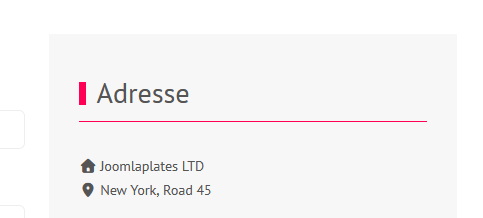
The definitonclass is 'primary':
It is at the moment green:
It is in the layot-theming-colors:
Here you can set your own color:
Supporter bei forum.joomla.de
Last Edit:1 day 2 hours ago
by Administrator
Last edit: 1 day 2 hours ago by Administrator. Reason: Typo
The topic has been locked.